The app your drivers will actually use.
Built for the driver's side of the job: big buttons, plain words and a guided inspection. Drivers can use Relocar from their phone's browser today, and the native iPhone and Android app is on its way. Every tap feeds the office, the customer and the proof of delivery.
A job, start to finish
Seven screens between the keys and the signature.
This is exactly what your driver sees. Every screenshot below is the real app.
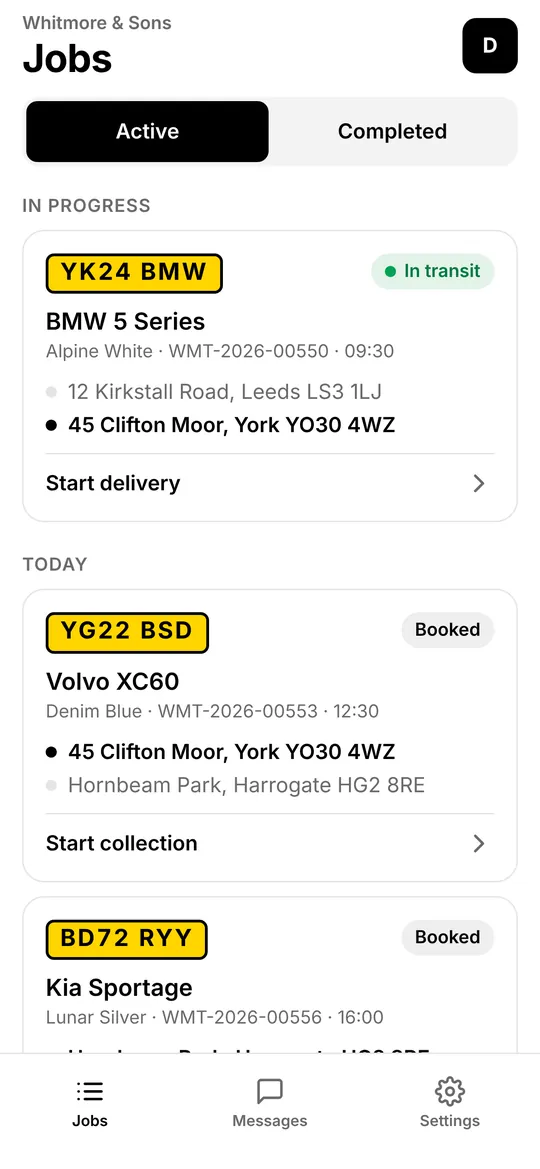
Their day, sorted.
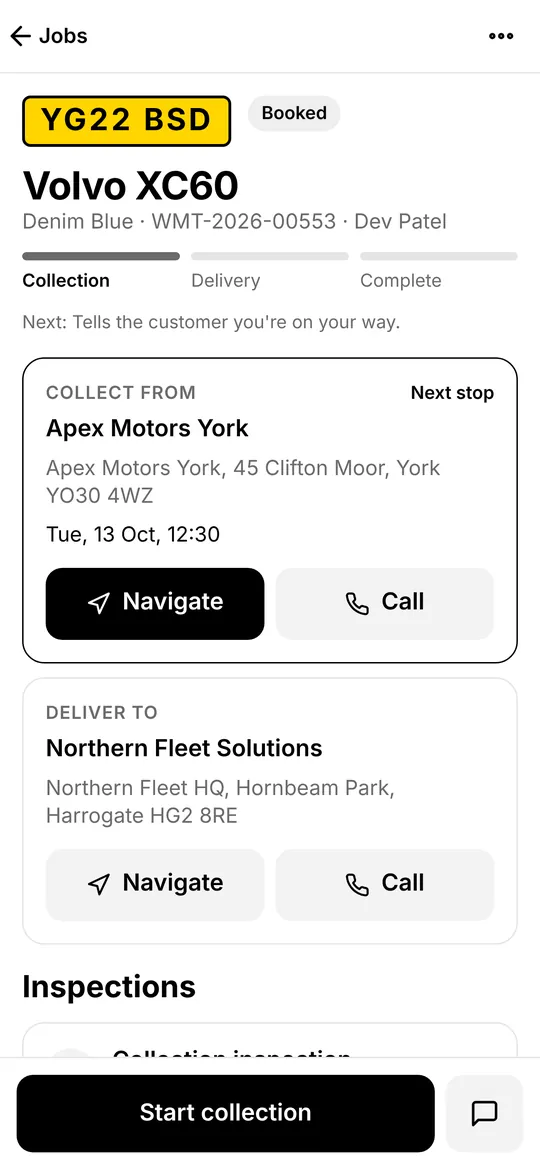
The job in progress sits at the top, the rest of the day underneath in time order. Registration, vehicle, both addresses and the next step on every card.
- Active and completed jobs a tap apart
- New jobs arrive as a push notification
- Drivers only ever see jobs assigned to them
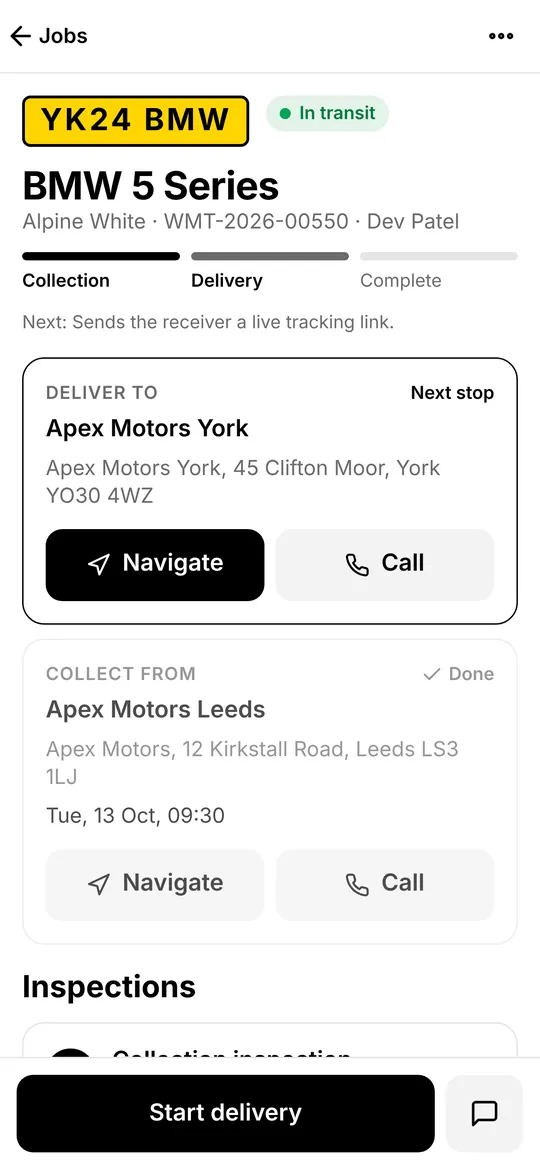
One big button for the next step.
On my way, arrived, collected, start delivery. The button always says what happens next, and underneath it tells the driver who gets told.
- Navigate opens their usual maps app
- Call reaches the right contact first time
- Your notes for the driver are right on the job
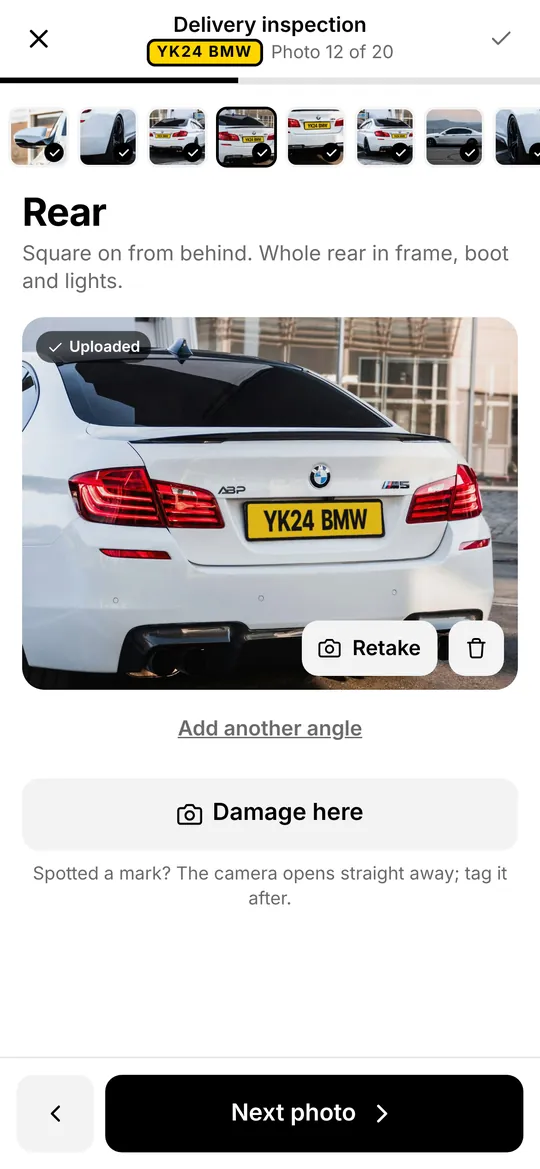
Twenty photos. Zero guesswork.
The walk-round starts at the dash and goes clockwise around the car, one shot at a time, each with a hint on how to frame it.
- Mileage, fuel and warning lights from the dash shot
- Spot a mark mid-walk? Tap “Damage here”
- Can't take a shot? The reason goes on the record
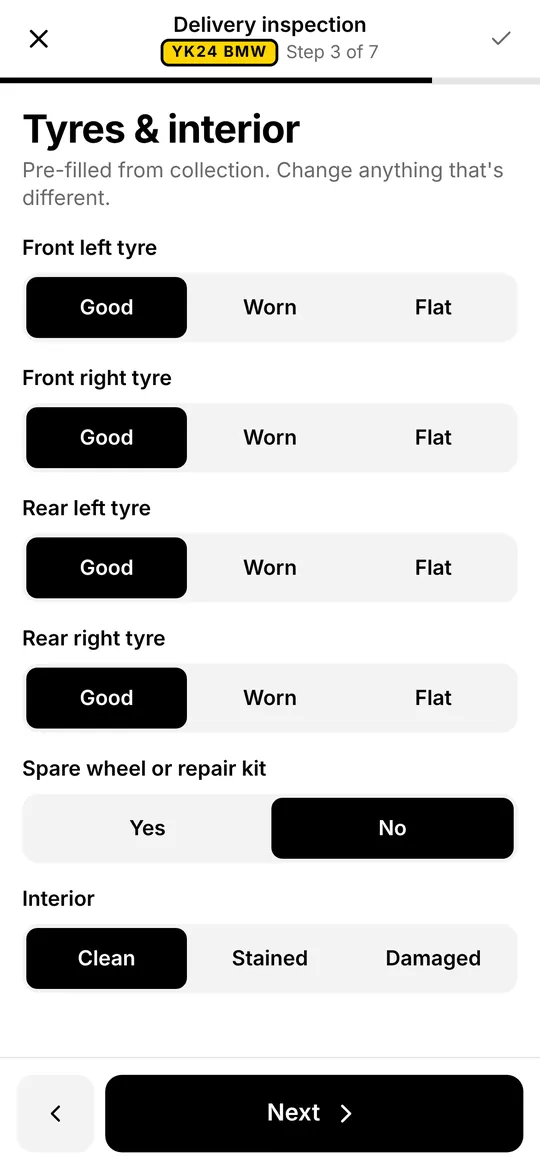
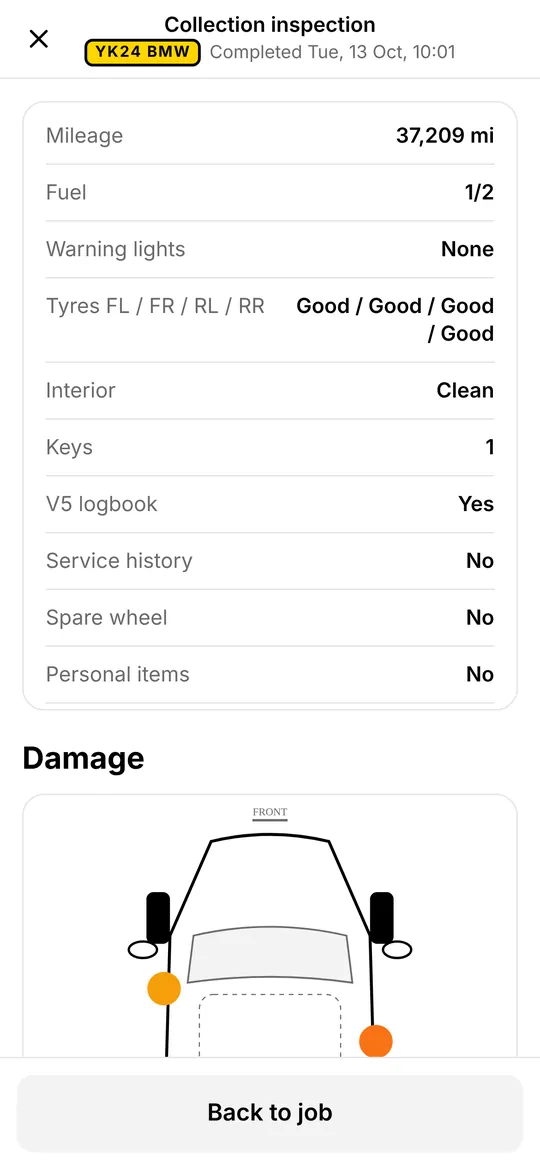
Checks in a few taps.
Tyres, interior, spare wheel, keys, V5, service history and personal items. At delivery, everything is pre-filled from collection so the driver only changes what's different.
- Electric vehicles record charge instead of fuel
- Big targets that work with cold hands
- Nothing to type unless something's wrong
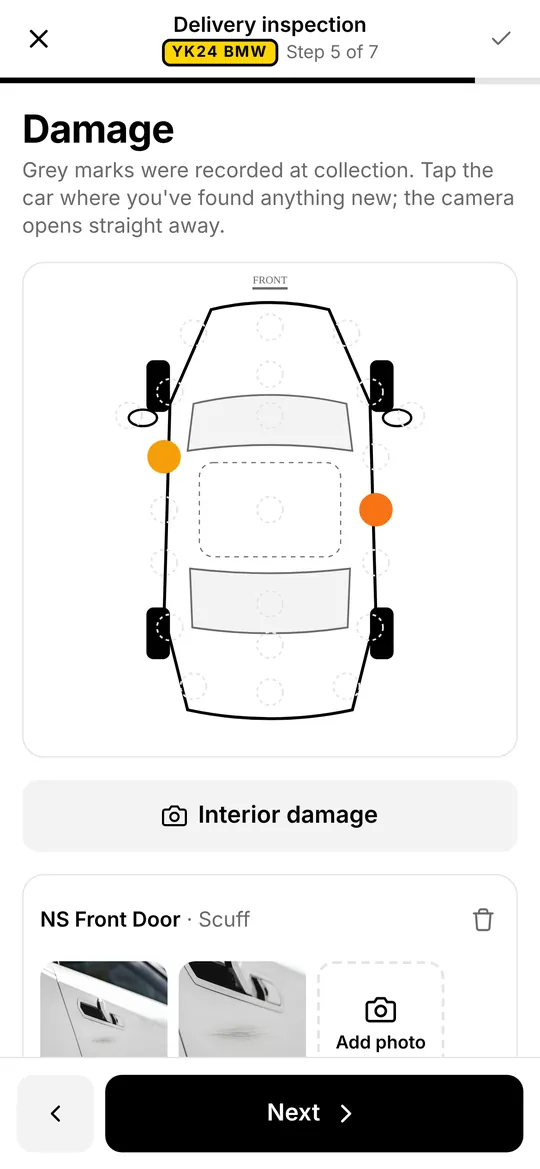
Tap the panel. Tag it. Done.
Damage goes straight onto a diagram of the car. Marks from collection show in grey at delivery, so anything new stands out immediately.
- Scuff, scratch, dent, crack or other
- Close-up photos and a note on each mark
- Interior damage recorded the same way
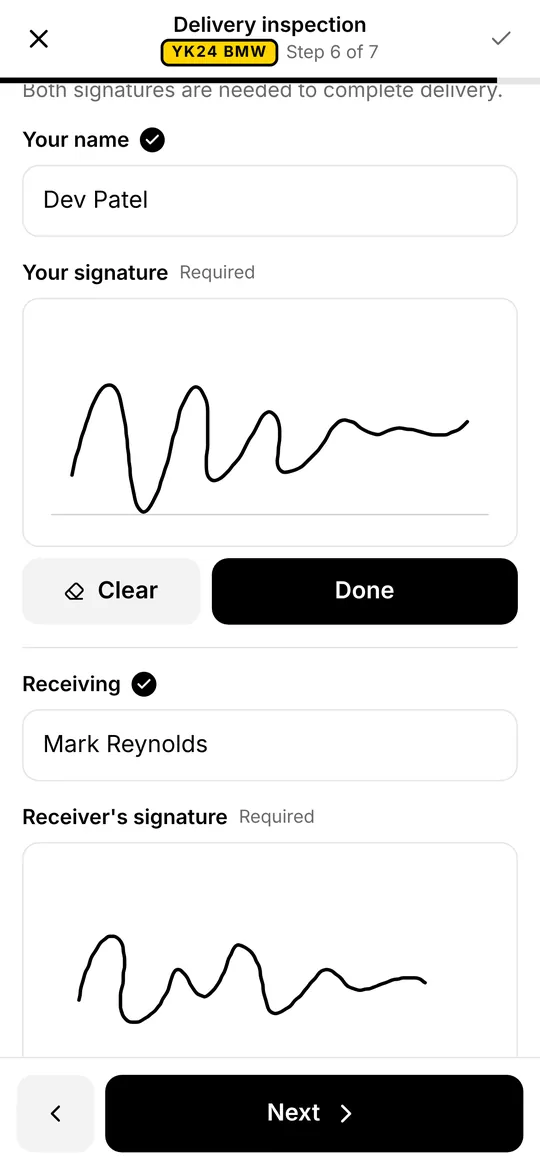
Two signatures, then it locks.
Driver and receiver sign on the screen. Once the inspection is complete it can't be edited, and the proof of delivery is generated and sent.
- Names, time and place recorded with the signatures
- Proof of delivery PDF sent to the customer
- A record you can rely on months later
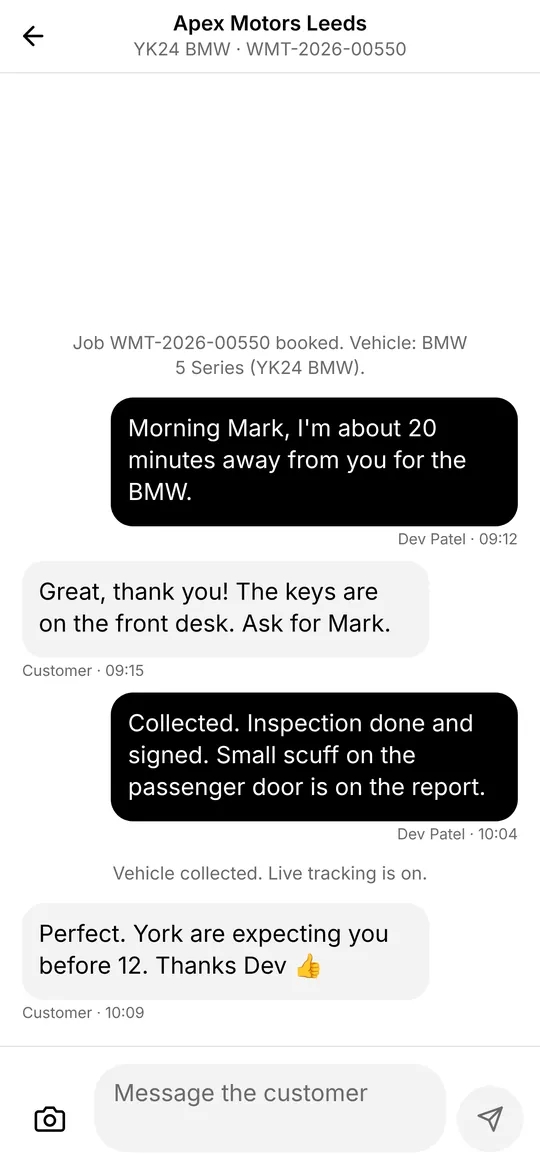
Talk to the customer, on the job.
Messages, photos and a shared location all live on the job they belong to. The office sees the same thread, so nobody has to forward screenshots.
- Customers reply from the tracking link
- Unread messages show on the job and the Messages tab
- The whole thread stays with the vehicle record
Coming soon: the native app
Things a website on a phone can't do.
Offline first
Photos, readings and signatures queue on the phone and upload when there's signal. The Settings screen shows exactly what's still waiting.
Background tracking
Live position keeps flowing to the customer's tracking link with the screen locked, and stops by itself on delivery.
Lock-screen alerts
New jobs, customer messages and status changes arrive as proper push notifications.
Secure sign-in
The same login as the web, kept in the phone's secure keychain. Two-step verification is supported.
The real camera
Full-resolution photos straight from the camera, compressed sensibly so they upload quickly on 4G.
Day and night
Light and dark themes that follow the phone, so the screen isn't blinding on an early start.
Owner-drivers
Running the business from the driver's seat?
Relocar works just as well for one person and a set of trade plates. Book the job on your laptop the night before, run it from your phone the next morning, and the customer gets the same polished paperwork as they would from a fleet of fifty.
When you take on your first driver, invite them from Settings. They'll only see the jobs you assign to them.
Give your drivers an app they'll thank you for.
Try it free for 14 days with your own jobs. No card needed.